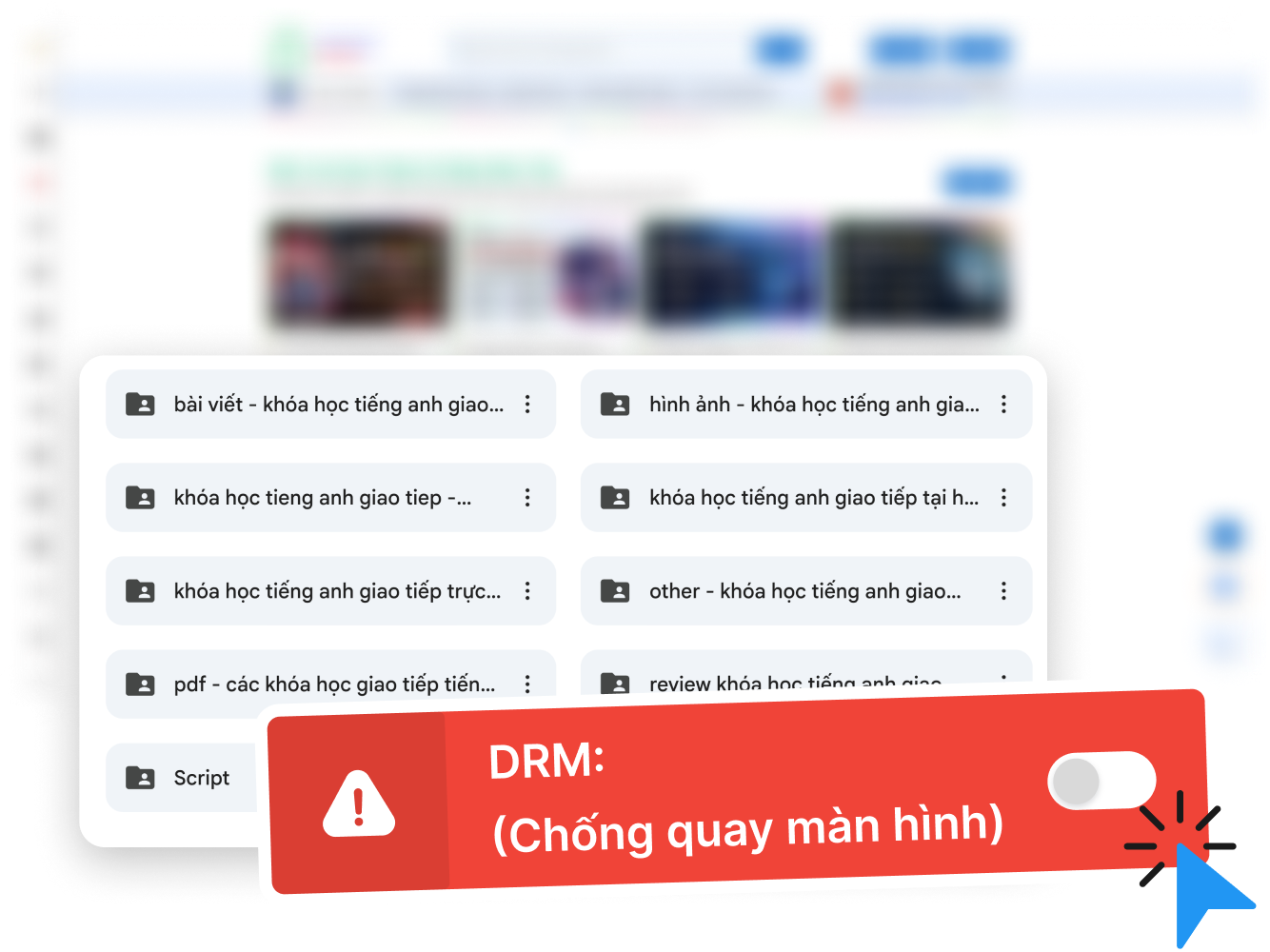
Hỗ trợ kỹ thuật 24/7 - Liên hệ ngay nếu bạn cần giúp đỡ!

Hotline kỹ thuật
Mona Academy SaaS eLearningMona Academy
Mona Academy SaaS eLearning
VN|
EN
  • Features
  • Features
  • Customers
  • Start with AI
  • Blog
  • Pricing
  • API/MCP
    API DocsREST API: auth, courses, orders, email…Connect Claude (MCP)Manage your site with the Claude AI assistant via MCPMCP servermcp-elearing.mona.academy
  • API/MCP
  • User guides

Packaging your course

Build the sales page, split packages, add value around lessons.

  • Drag-and-drop template library120+ industry templates, drag-and-drop, no code
  • Learner communityPrivate groups on your own domain, no limit
  • AI learning assistantTrain once, answers stay within your lesson content
  • Zoom meetingsLive classes, email reminders, recordings saved automatically
  • Lesson quality scoringSee which videos hold attention and what to fix

Setup guides

  • Sell bundles
  • Cross-sell items
  • Subscription plans
  • Multi-course modules
  • Per-lesson materials
  • Per-chapter materials
  • Practice tests
  • Price tiers
  • Custom layout per course

Sales, marketing & remarketing

Pull strangers into a funnel, nurture by behaviour, close automatically.

  • Trial funnelA free course as lead magnet, then retarget real learners
  • Auto email remarketingBehaviour-based segments, automated flows, full reporting
  • 30+ promotion playbooksFlash sales, timed code hunts, lucky wheel, voucher quests
  • Multi-level affiliateFive commission levels, e-contracts, publisher leaderboard
  • PRO video previewOpen paid videos to free learners on a schedule

Setup guides

  • Set up promotions
  • Affiliate & commission payouts
  • Install Facebook & TikTok pixels
  • Full ads playbook

Course protection

Block downloads, trace leaks, stop shared accounts.

  • MONA DRM - stop video downloadsOne-way encryption on Google and Apple DRM
  • Watermark AIOver 5 watermark types identifying each viewer
  • Identity verificationVerify PRO learners against the national ID portal
  • AI anomaly alertsSpot signs of account sharing and screen recording
  • Block multi-device loginOne PRO account cannot run on two devices at once

Setup guides

  • Manage learners
  • Login & sign-up

Operations, admin & cash flow

Money lands in your account, orders close themselves, one place for numbers.

  • Automatic payment confirmationReads bank alerts and closes orders with no percentage fee

Setup guides

  • Bank QR payments
  • Configure the SePay webhook
  • Order management
  • E-invoices
  • Dashboard & reports
  • Monthly & yearly renewals (SaaS)
  • Upgrade Free to Pro
  • Enterprise blog
  • API documentation
  • Connect Claude (MCP)
See all 16 features →Businesses running on it →Help center →
VN|
EN
Create your Elearning websiteCreate Elearning website
  • Overview
  • Registering a new account
  • Signing in
  • Forgotten password
  • Security notes

Share this guide:

Home>User guides>Signing in & registering an account
Recently updated25 October 2026

Signing in & registering an account

Overview

This article shows you how to register an account, sign in and recover your password on MONA Elearning. The system supports several sign-in methods so you can get in quickly and securely.

Registering a new account

To start using the system you need to create an account:

  1. Go to the Sign in / Register page.
  2. Choose the Register tab and enter your email, full name and password.
  3. The system sends an OTP code to your email for verification.
  4. Enter the OTP code to finish creating your account.

Once your email is verified, you can sign in and start setting up your website.

Signing in

There are two ways to sign in:

  • Email and password: enter the email and password you registered with, then click Sign in.
  • Sign in with Google: click "Sign in with Google" to log in quickly with your Google account - no password to remember.

Forgotten password

If you forget your password, follow these steps to reset it:

  1. On the sign-in screen, click Forgot password.
  2. Enter your email - the system sends an OTP code to that address.
  3. Enter the OTP code to verify.
  4. Enter a new password and confirm it to finish.

Security notes

  • Choose a strong password and never share it with anyone.
  • OTP codes are only valid for a short time - enter yours as soon as it arrives.
  • If the email does not arrive, check your Spam or Promotions folder, or click resend.
Other guides

  • >Price tier configuration
  • >Using the module feature (multi-course)
  • >Affiliate & affiliate payouts
  • >User management
  • >Email marketing
  • >Upgrading an account from Free to Pro
MONA E-Learning manual

MONA E-Learning user manual

MONA E-Learning anti-leak

Video protection against piracy

An all-in-one E-Learning platform for experts, coaches and education businesses - host courses, automate sales and operate communities on a single system.

Menu
  • Features
  • Customers
  • User guides
  • API documentation
  • Changelog
Contact
Head office
1073/23 Cach Mang Thang 8, Ward 7, Tan Binh District, Ho Chi Minh City
Hotline
1900 636 648
Working hours
Mon – Sat · 08:00 – 18:00 (GMT+7)
Managing company
MONA MEDIA COMPANY LIMITED
Tax code
0313769557
Issued date
21/04/2016 - Ho Chi Minh City DPI
© 2026 Mona Academy. All rights reserved.